MODULE AVAILABLE
The AI IT Administrator reads tickets, checks Active Directory, the firewall and servers, proposes a fix and executes it only with the administrator's approval. Every step is logged.
AI IT ADMINISTRATOR
The agent collects the evidence from every system on its own, so the administrator decides — instead of searching.
The account was locked after 5 wrong passwords at 08:12. I propose unlocking it and resetting the password — awaiting approval.
CAPABILITIES
Categorization, priority and assignment of new Zammad tickets, with a suggested fix.
Account checks, unlocks, password resets and groups — with approval.
VPN status, logs, policies and SD-WAN on FortiGate, in natural language.
Server health, disks, services and alerts — with an explanation and a suggested action.
Step-by-step guidance for the user and diagnostics collected from the workstation.
Your IT team's procedures become executable runbooks with checkpoints.
IN THE APP
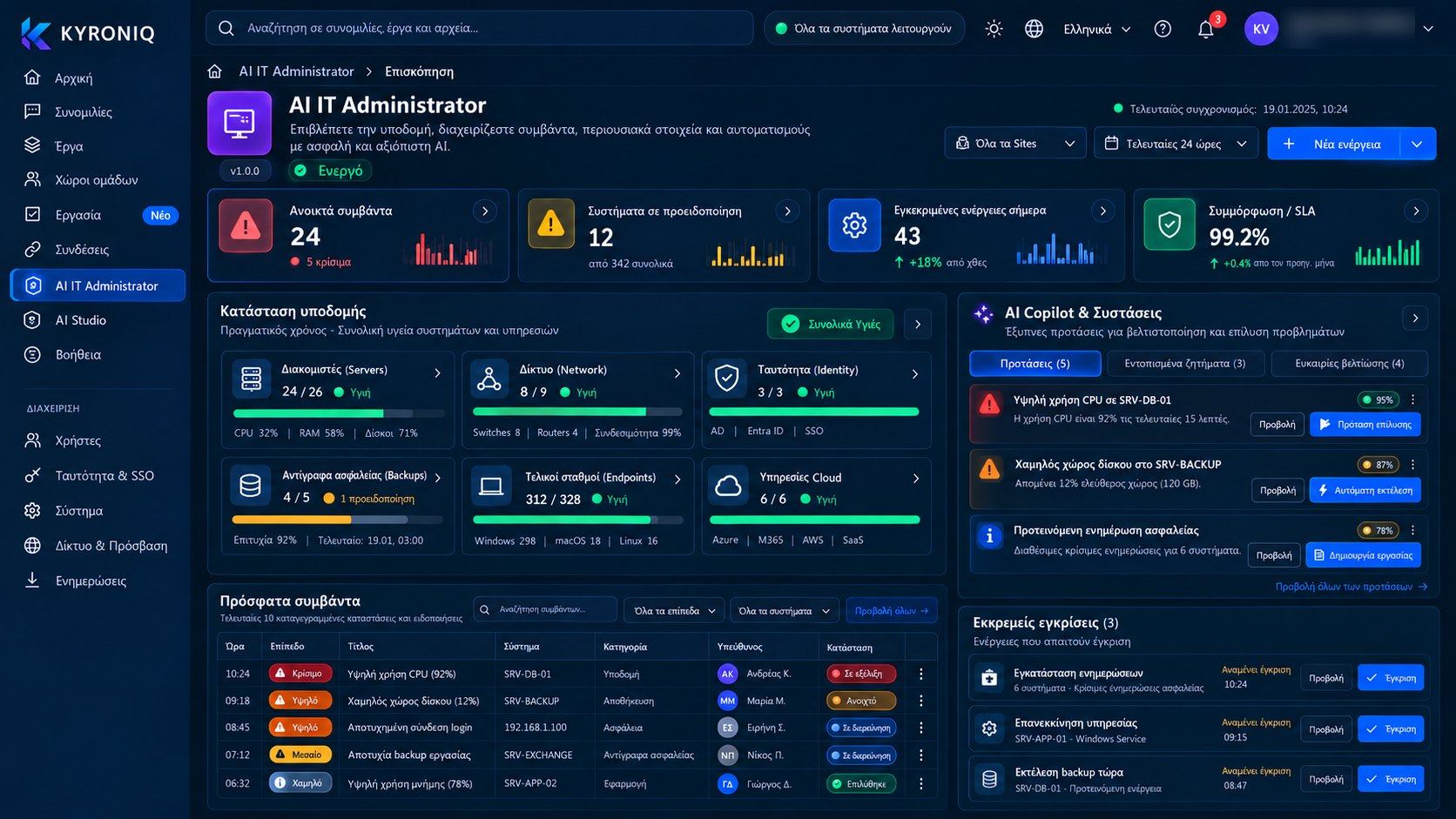
Infrastructure health, incidents, assets and approvals — with the AI Copilot suggesting the next move.
Infrastructure & assets
Incidents & AI diagnosis
Monitoring, automations & reports
AISecure actions
Every action — a patch, a service restart, a password change, a backup — comes with an impact estimate, a rollback plan, pre-checks and an approval flow. It runs only once approved, inside the change window, and is verified afterwards.
Network devices
Add a network device in four steps: type and vendor, access details, location and governance, connection test. KYRONIQ discovers the model, firmware and capabilities and brings the device into monitoring. By default, access is read-only.
CONNECTS WITH
WORKS WITH
A 30-minute demo built around your own scenarios. No commitment.